How do I connect Power Automate Connector to Notubiz in 5 minutes?
Execute the following steps to connect Power Automate Connector to Notubiz. You only need knowledge of Power Automate Connector, your own business and the Notubiz administration.
Query the council information of about 400 Dutch and Belgian municipalities, provinces and water authorities that use Notubiz with SQL: meetings with their agenda and documents, registers such as written questions and motions, recordings with their transcript and who spoke when.
No technical knowledge is needed nor knowledge on the Notubiz APIs to connect Notubiz to Power Automate Connector. This step-by-step plan will tell you exactly which steps you need to go through on Invantive Cloud to create your own Azure data warehouse with data from Notubiz.
The steps to connect Power Automate Connector to Notubiz are:
- Register an Invantive Cloud account.
- Create a Notubiz database.
- Make the Notubiz database available through the Microsoft OData connector.
- Connect Power Automate Connector to Notubiz through the connector.
- Load data from Notubiz into Power Automate Connector data warehouse.
Invantive Cloud offers a Notubiz connector to download data from Notubiz into Power Automate Connector, but there are over 115 other connectors available also for SQL, Power BI Desktop, Power BI Service, Power Query and/or Azure Data Factory.
With the Notubiz connector for Power Automate Connector you will by default fetch the data from all connected Notubiz companies in your dashboard. You can limit the number of Notubiz companies that are retrieved in Power Automate Connector through the Database settings. For example, you can also limit the connector for Power Automate Connector to the data from exactly one Notubiz company. Of course, you can also filter the data by a specific Notubiz company using a filter step in Power Automate Connector. The Notubiz connector for Power Automate Connector has advanced optimizations for great real-time performance with both a single Notubiz company as well as with hundreds of Notubiz companies.
When you are having questions, please check the forums for Notubiz.
Register Account on Invantive Cloud
Skip this step when you already have an account on Invantive Cloud. Otherwise execute the following steps one time to register an account on Invantive Cloud:
-
Go to Invantive Cloud start page.
Select the Log on-button.
-
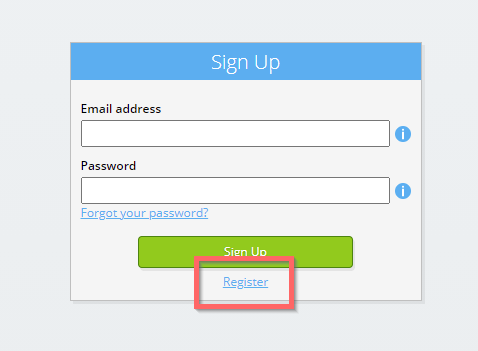
Select the Sign Up-button.
-
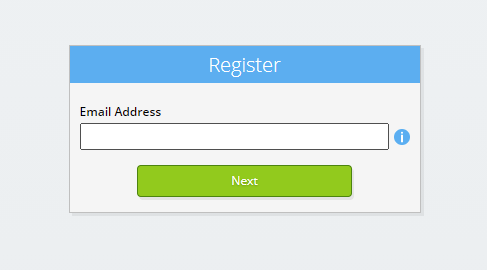
Enter your business email address.
-
Select the Next-button.
-
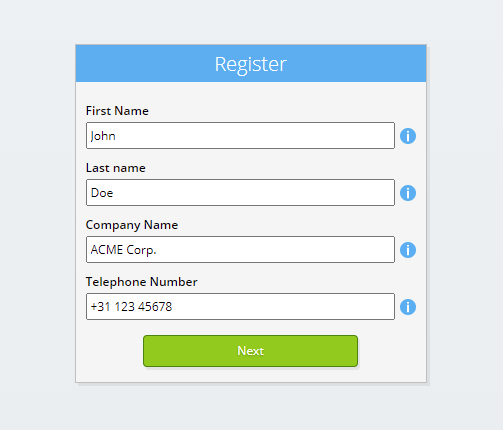
Enter your personal data.
-
Select the Next-button.
Enter your password and repeat the provided password.
-
Select the Next-button.
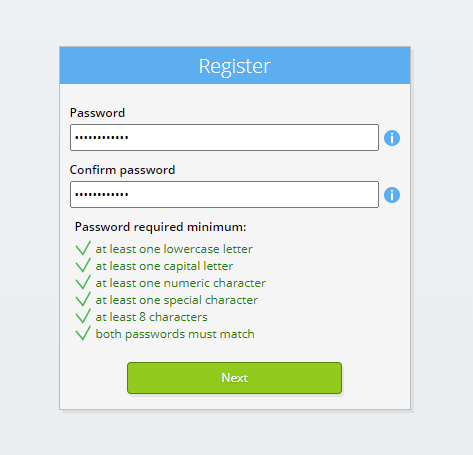
You will receive a six-digit verification code by email within 2 minutes.
-
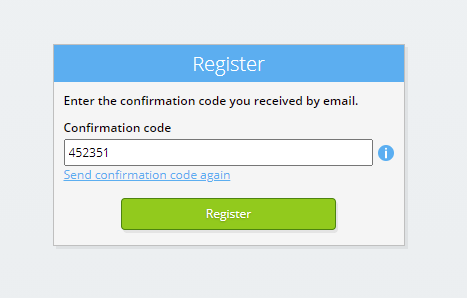
Enter the six-digit verification code.
-
Select the Sign Up-button.
-
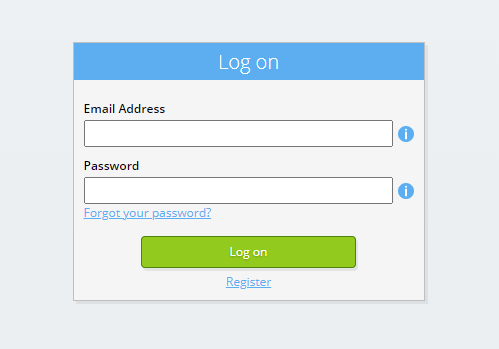
Log on now. >
-
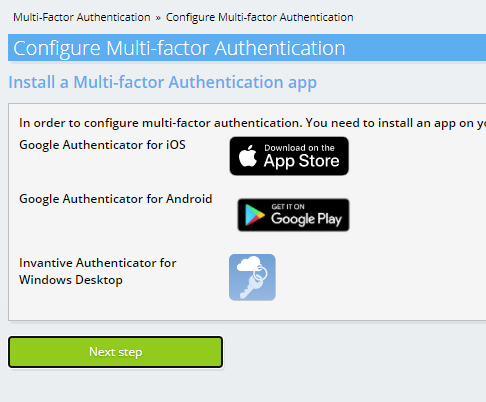
Make sure you have an authentication app installed on your phone. Select the Next-button.
-
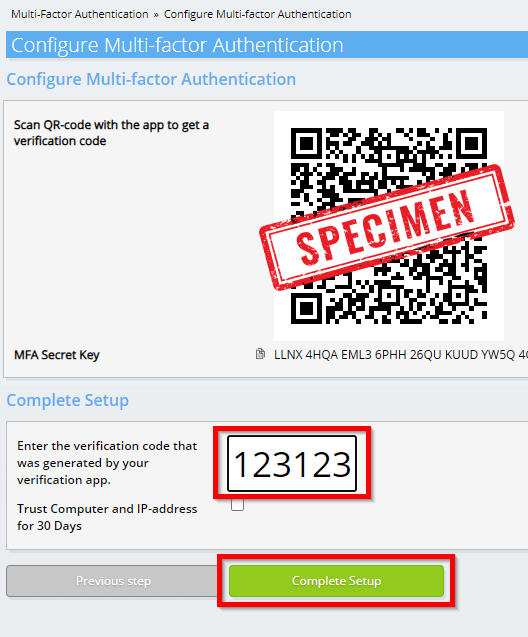
Add the displayed QR code to the authentication app, enter the current verification code, and choose "Finish".
-
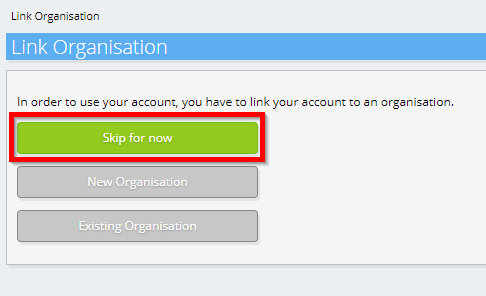
Skip registration of the organisation.
-
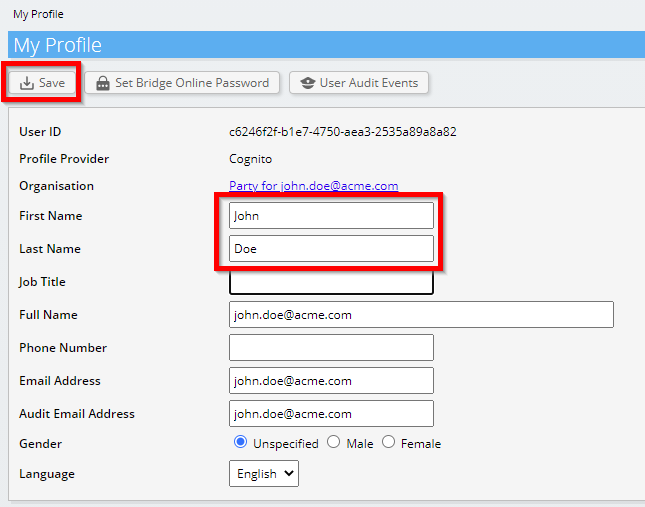
Complete your personal data and choose 'Save'.
-
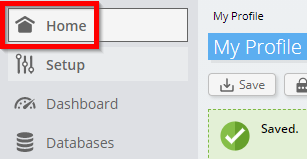
Go to the dashboard.
-
The Invantive Cloud dashboard will be shown.
You now have a login code on Invantive Cloud with which you can set up the connection with Notubiz and numerous other platforms. You will use the same Invantive login code and workflow for all other platforms.
Create Notubiz database
In this step, we set up a database with data from Notubiz. The database is "virtual" because it is not a traditional database, but is fed real-time from Notubiz. Invantive Cloud provides Power Automate Connector with a real-time link to Notubiz. The database will be used for all your Notubiz reporting with Power Automate Connector. So you only need to perform these steps once.
-
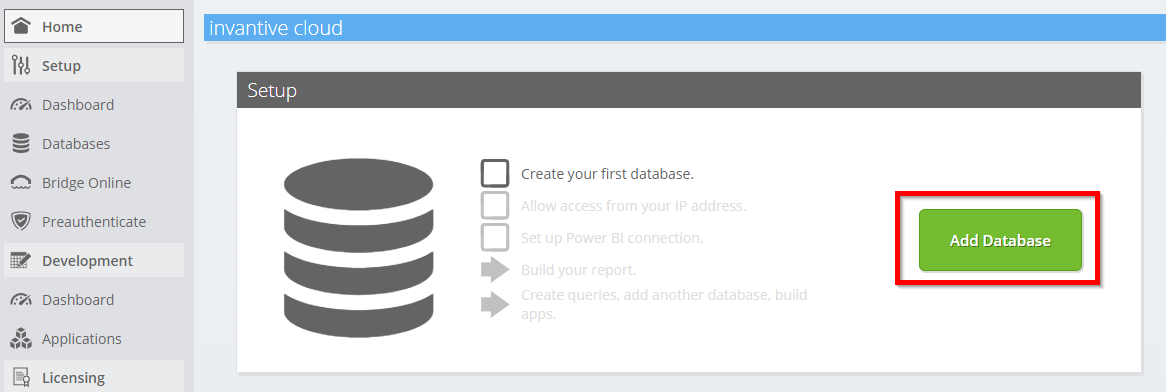
Click the Add Database button.
-
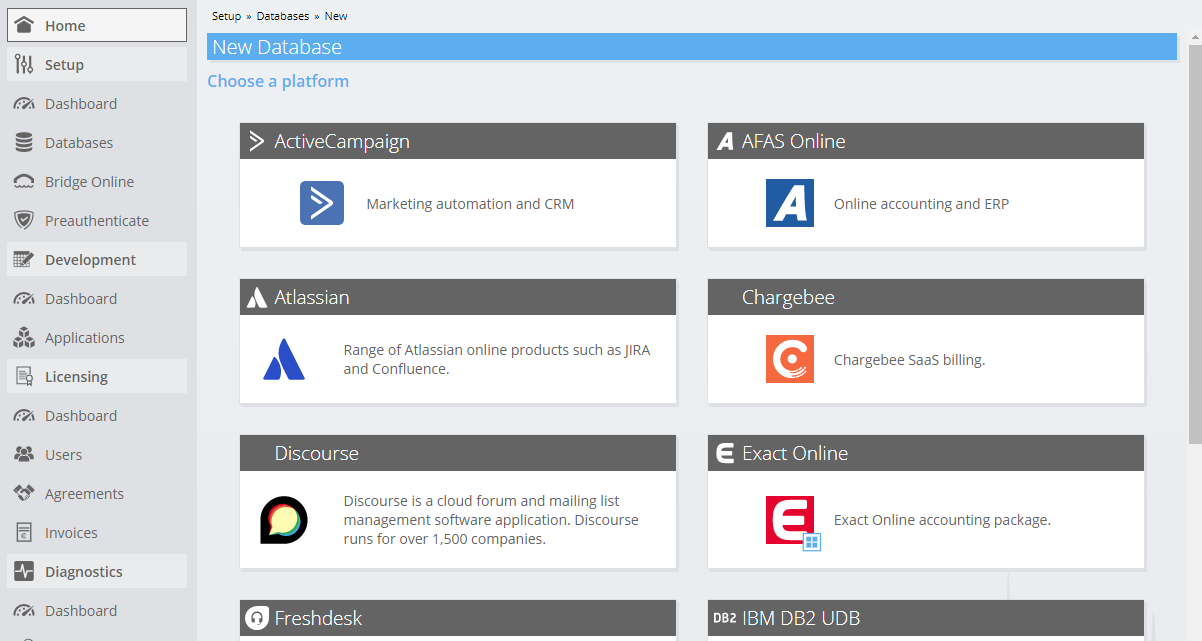
Select Notubiz from the list.
-
Please fill out the form with login information for Notubiz.
Select the OK-button.
The page with the details of the database opens.
-
Check that the box \"Allow Invantive Bridge Online Use\" is selected.This box is selected by default. Without it, Power Automate Connector cannot read the Notubiz database.
Congratulations! You can now process data from Notubiz within the Invantive Cloud website. You can do this for example with the interactive SQL editor.
Grant connection from Power Automate Connector access to Notubiz
To retrieve the data from Power Automate Connector we create a link via Invantive Bridge Online. This creates a "bridge" between the cloud of Invantive and the standard OData connector that is available in every version of Power Automate Connector. You do not need to install anything locally: no connector, no ado.NET provider and no Power Automate Connector add-on neither.
Execute the following steps to safely use the data from Notubiz outside of Invantive Cloud:
Next to the database you will find an orange text requesting you to allow access from your current location (IP address). Select the nearby orange button.
You must completely disable IP address checking by entering an asterisk ("*") since Microsoft Power Automate Connector consists of hundreds of thousands of servers across the globe.
You are now ready to import the Notubiz data into Power Automate Connector.
Configure Power Automate Connector connector for Notubiz
You will now pull in Power Automate Connector data from Notubiz through the established link.
Please note again that Invantive Cloud under the hood handles all complexity such as setting up credentials such as a refresh token, acquiring an access token, optimizing and parallelizing access, accessing an API within the rate limits, scopes and security restrictions. There is absolutely no need for knowledge on complex technical topics such as OAuth access tokens or API. The Microsoft Azure Data Factory steps, activities and pipelines can be constructed using just the OData feed and basic authentication.
Execute the following steps:
-
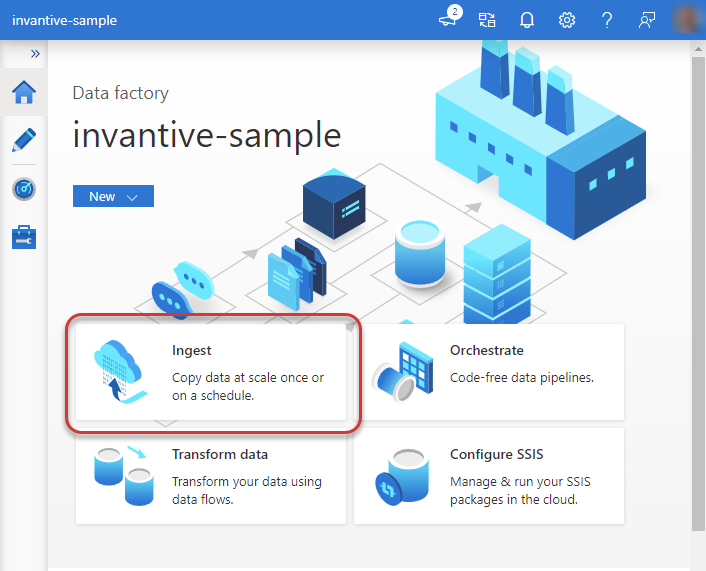
Start Microsoft Power Automate Connector and select 'Ingest'.
-
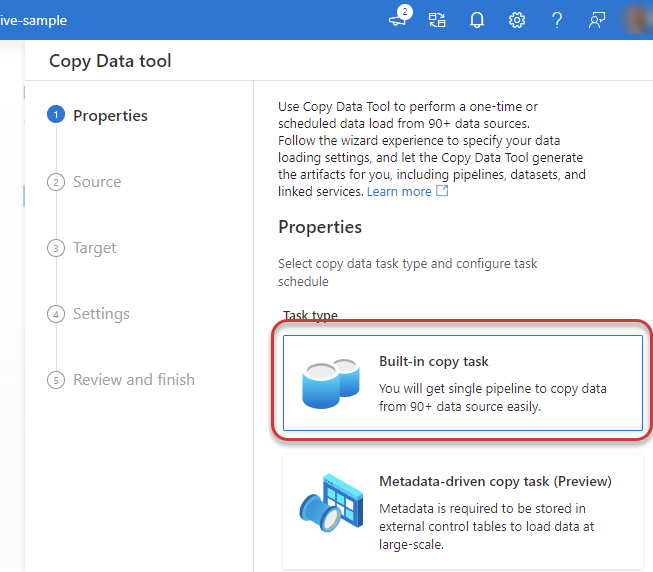
Select 'Built-in copy task'.
-
Select source type 'OData' and select 'New connection'.
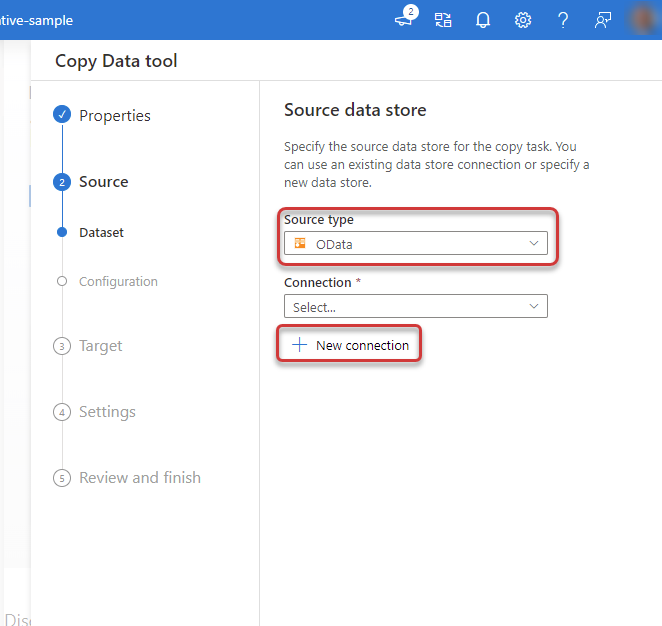
-
Enter in the window the Bridge Online URL of the Power Automate Connector database. This URL containing the data can be found in the Database-form of Invantive Cloud. Choose authentication type 'Basic authentication'. Enter the Invantive Cloud user name and password.
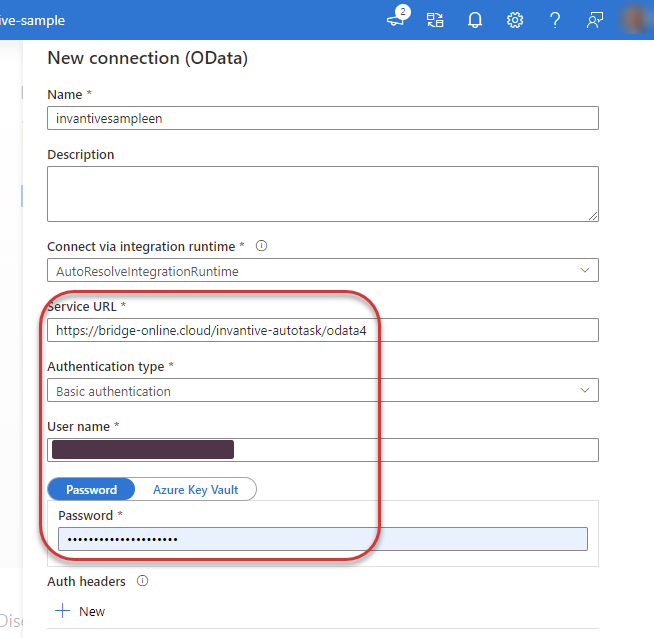
-
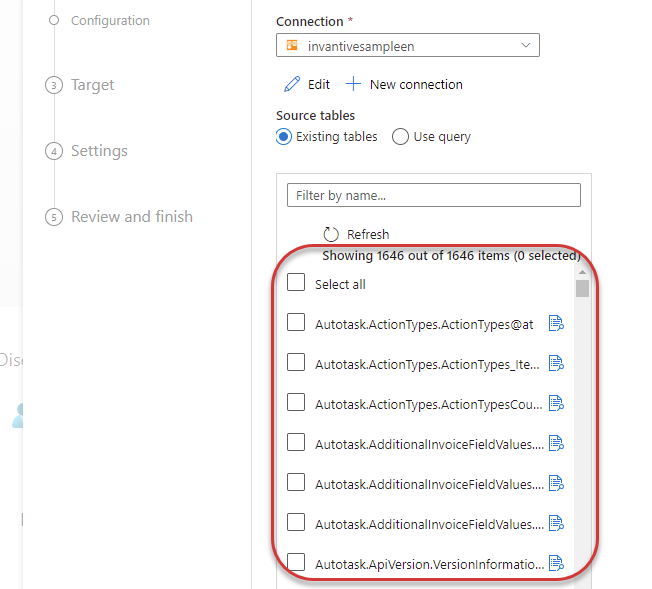
The list of available Notubiz tables appears. Select the desired tables and construct your pipeline in Microsoft Azure Data Factory.